Collect the Right Info Before a Team Is Created: Custom Forms in nBold Templates
Standardizing collaboration only works if every workspace carries the context that makes it useful — the customer, the deal, the region, whatever sets this team apart from the next. Capturing that normally happens after the fact, by chasing the requester for details that should have been there from day one, which is slow and inconsistent from team to team. Custom Forms in nBold Templates capture it at creation instead: template owners define exactly what to ask, and the answers turn a blank request into a workspace that’s already correctly named, described, and searchable.
What’s new
Template owners can now attach a custom form to any template, built from three field types:
- Text — free-text input, such as an opportunity name or customer name
- Number — numeric input, such as a deal size or headcount
- Choice — a fixed set of options the requester picks from, such as opportunity type or region
Each field can carry a default value, a tooltip, and validation. The answers aren’t just collected and forgotten — they feed the team’s naming convention, its description, and its welcome message, and they become metadata attached to the workspace: searchable, filterable, and visible as pills on the team card.
How it works
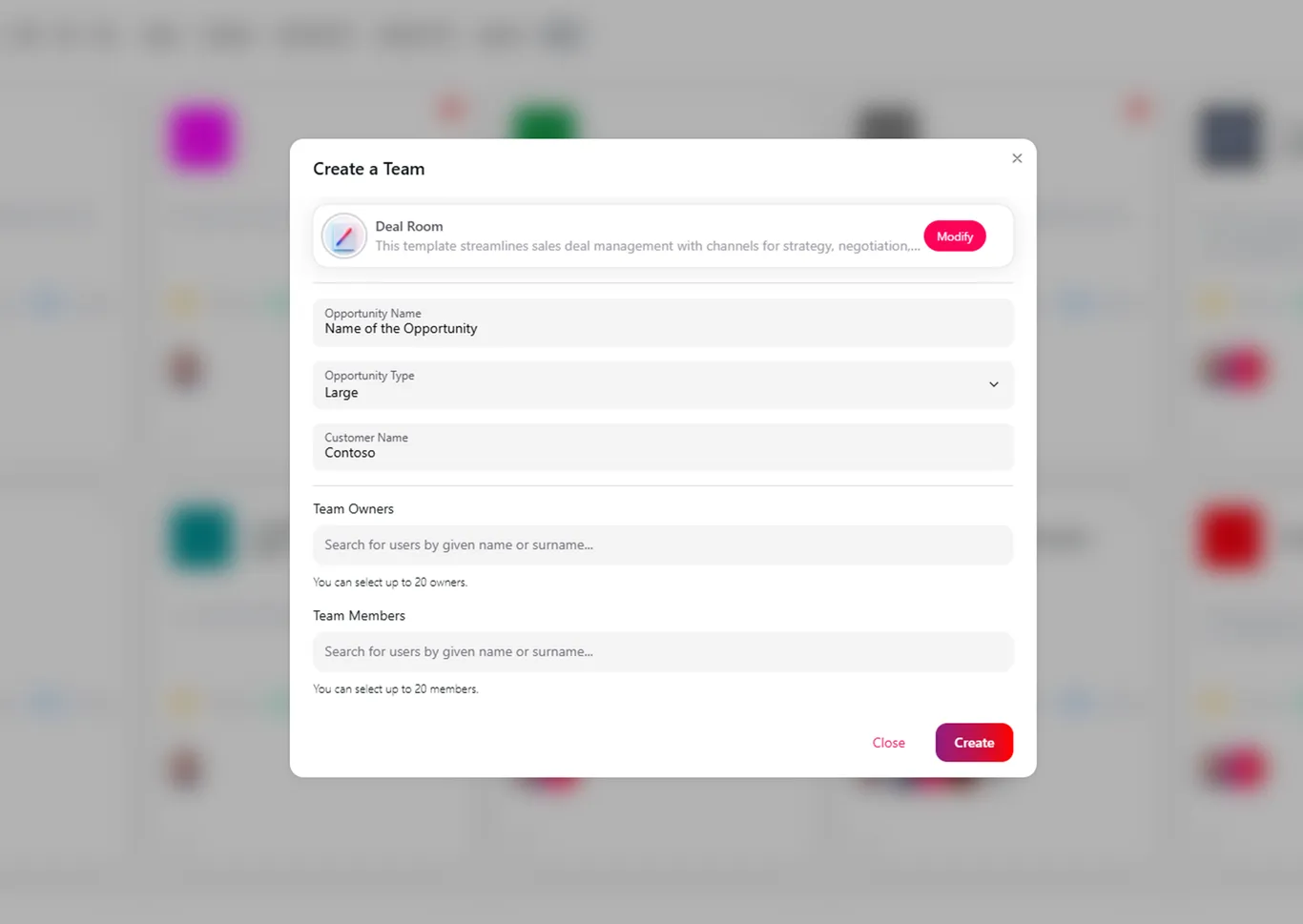
- Requesters see the form when they create a team. Picking a template like “Deal Room” surfaces its custom fields — Opportunity Name, Opportunity Type, Customer Name — right in the creation dialog, alongside the usual owner and member pickers.
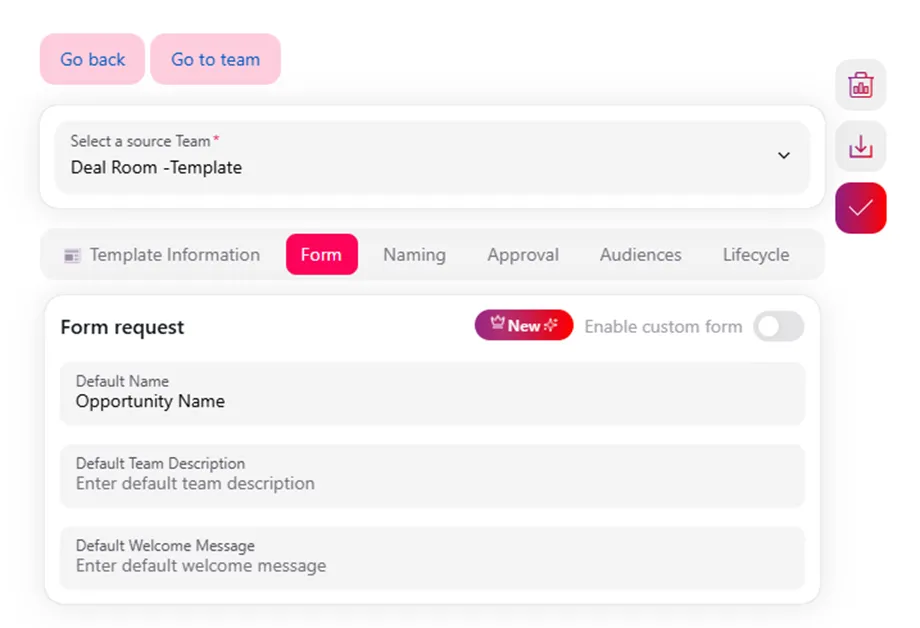
- Template owners turn it on from the template editor. The Form tab has an “Enable custom form” toggle. Once it’s on, the owner sets default values for the team name, description, and welcome message.
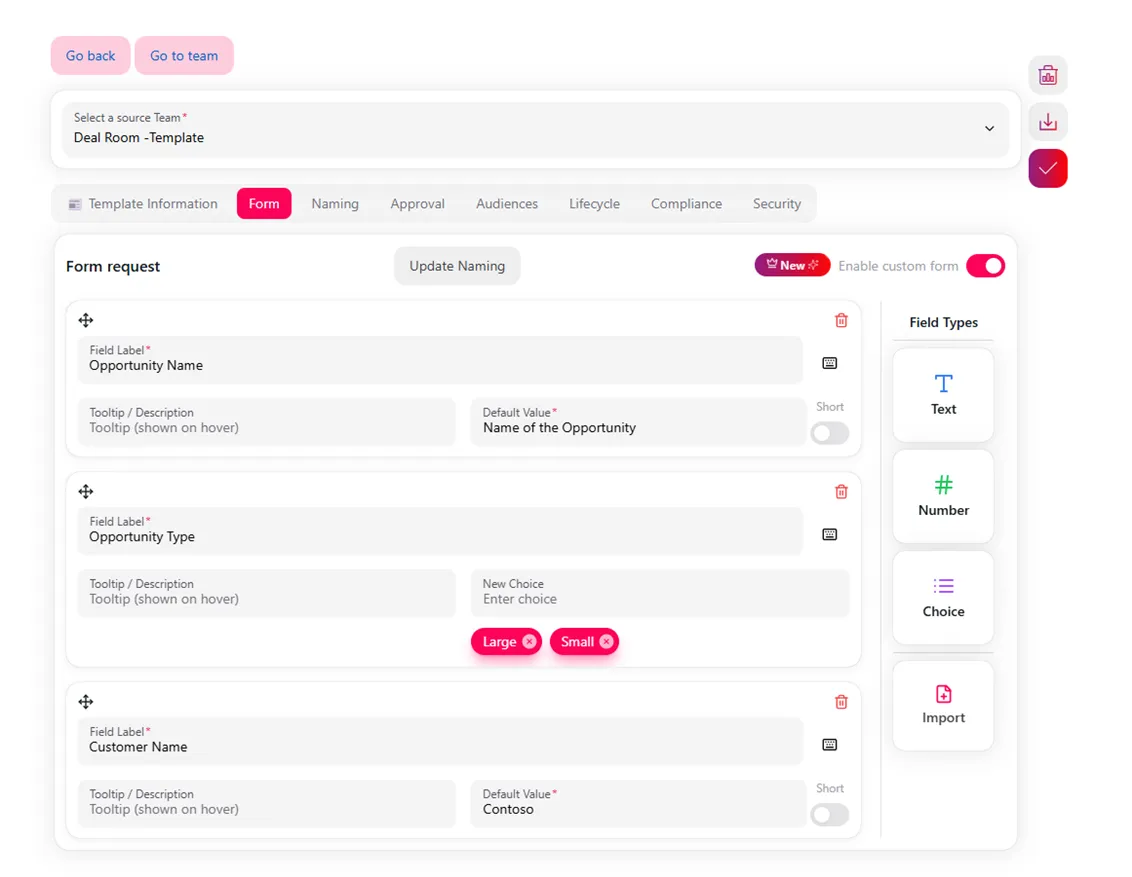
- Fields are built with a simple field builder. Each field gets a label, an optional tooltip, and a type — Text, Number, or Choice — with choices defined inline (for example, “Large” / “Small” for opportunity type).
Once submitted, the requester’s answers populate the naming convention and description immediately, and they’re written as metadata on the resulting team — no separate step required.
Why it matters
Governance breaks down at the edges — the workspace nobody named properly, the team with no customer tag, the deal room that’s indistinguishable from a dozen others in the list. Custom Forms move that governance to the only moment that actually works: before the workspace exists. Every team created from a template arrives correctly named and already carrying the metadata your org needs to find it, filter it, and report on it later — no follow-up required from IT or the catalog owner.
Related
Custom Forms are one piece of nBold’s Templates engine — the same layer that handles naming conventions, approvals, and lifecycle policy for every workspace you provision. If you’re standardizing how deal rooms, client projects, or delivery teams get created across your organization, see how it fits into repeatable work at scale, or book a demo to see it on your own templates.