Microsoft Teams HR Onboarding Guide 2024
Want to supercharge your HR onboarding with Microsoft Teams? Here’s how:
- Start early with welcome messages and key docs
- Create dedicated onboarding channels
- Use Power Automate to streamline tasks
- Customize onboarding for each role
- Track success with Teams data
Why it matters:
- 82% better retention with strong onboarding
- 60% more revenue from structured processes
- 70% of employees love their job after great onboarding
Key Teams features for HR onboarding:
| Feature | Use |
|---|---|
| Channels | Topic-specific spaces |
| File sharing | Store onboarding docs |
| Video calls | Virtual orientations |
| Chat | Quick new hire comms |
| Planner | Task management |
Pro tip: Use Teams’ built-in analytics to measure onboarding success and keep improving your process.
Remember: Great onboarding sets the tone for an employee’s entire journey. Make it count with Microsoft Teams!
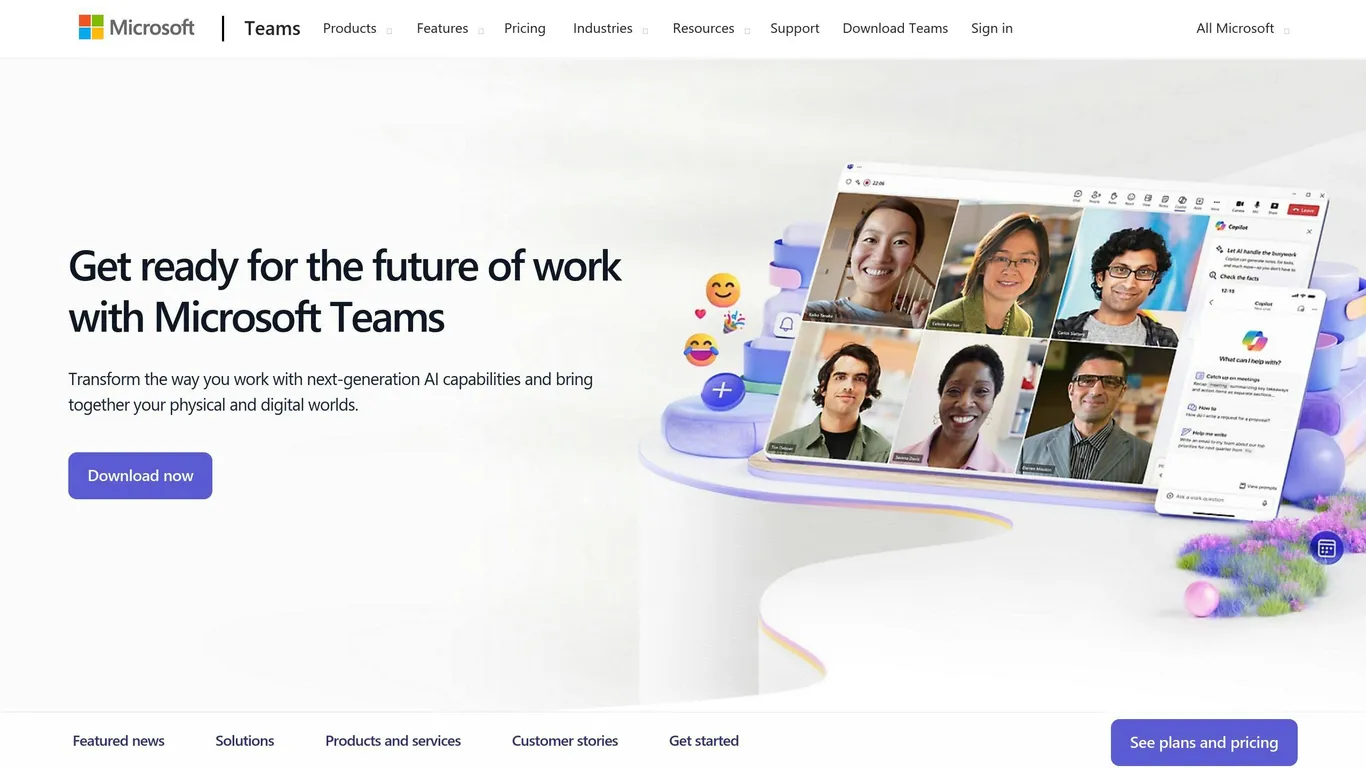
Teams packs a punch for HR onboarding. Let’s dive into the key features and why they’re a game-changer for HR tasks.
Main Teams Tools for Onboarding
| Feature | Onboarding Use |
|---|---|
| Channels | Topic-specific spaces |
| File sharing | Onboarding docs storage |
| Video calls | Virtual orientations |
| Chat | Quick new hire comms |
| Planner | Task and checklist management |
These tools create a complete onboarding system. Picture this: an “New Hire Orientation” channel with welcome videos, policies, and training schedules all in one spot.
Why Teams Rocks for HR
1. One-stop shop : No more app-hopping. Everything’s in Teams.
2. File central : SharePoint integration means new hires always get the latest info.
3. Chat it up : Quick questions? Chat or video call to the rescue.
4. Task master : Planner keeps onboarding on track.
5. Remote-ready : Works for in-office and remote onboarding alike.
HR teams using Teams? They’re seeing faster onboarding and happier new hires. Think virtual meet-and-greets that connect remote workers from day one.
Plus, Teams makes feedback a breeze. HR can use Forms to gather new hire input, constantly improving the onboarding process.
Setting Up Teams for Onboarding
Let’s get Microsoft Teams ready for your new hires. Here’s how to create an onboarding space that works:
Make These Channels
- “Welcome”: Intros and company news
- “HR Stuff”: Policies, benefits, forms
- “Training”: Learning materials
- “Q&A”: Ask anything
Tip : Use the Wiki app in each channel. It’s great for how-to guides.
Set User Permissions
Give new hires the right access:
| Level | What They Can Do |
|---|---|
| Guest | See public channels |
| Member | Use all channels and files |
| Owner | Manage the whole team |
Start new hires as Members. They’ll get what they need without getting lost.
Add These Apps
- Planner: For to-do lists
- Forms: Get feedback
- SharePoint: Make a custom site
- Teamflect: Automate onboarding tasks
Setting this up creates a one-stop shop for new hires. It works, too. Companies that do this right see 60% more yearly revenue and 63% happier customers.
Creating an Onboarding Plan in Teams
Let’s dive into making a solid onboarding plan using Teams. Here’s the lowdown:
Planning the Onboarding Steps
Map out your onboarding process in Teams:
1. Pre-boarding
Send a welcome email with first-day info. Get them excited!
2. First day
Kick things off with an orientation meeting and team intros.
3. First week
Set up daily check-ins and training sessions. Keep ’em engaged.
4. First month
Schedule progress reviews and goal-setting meetings. Track that growth!
5. First 90 days
Regular feedback sessions and performance evaluations. Stay on top of it.
Making To-Do Lists
Microsoft Planner is your friend for tracking onboarding tasks:
- Create a plan template for new hires
- Copy it for each newbie
- Assign tasks to HR, managers, and the new hire
- Set due dates based on start date
Pro tip : Use labels to sort tasks by department or work type.
Teams has some nifty tools to streamline your process:
| Tool | What it does |
|---|---|
| Power Automate | Automates task creation and assignment |
| SharePoint | Stores and shares onboarding docs |
| Microsoft Stream | Hosts training videos |
| Microsoft Forms | Gathers newbie feedback |
These tools will help you create a smooth onboarding experience that gets new hires up to speed fast.
“A great onboarding process should leave new hires feeling ready to rock their new role.”
Preparing New Hires Before They Start
Want to make new employees feel welcome before day one? Here’s how to use Microsoft Teams:
Welcome Messages
Send a friendly Teams message:
- Introduce yourself and the team
- Share first-day basics (start time, dress code, parking)
- Attach their first-week schedule
“Hey Sarah! Can’t wait to meet you next Monday. Here’s what you need to know…”
Important Documents
Upload key files to Teams:
| Document | Examples |
|---|---|
| Company | Handbook, org chart |
| Role | Job description, team goals |
| HR | Tax forms, benefits info |
Give view-only access. New hires can review and prep questions.
Quick Team Intros
Set up short video chats:
1. 15 minutes with their manager
2. Virtual coffee with 2-3 teammates
3. Brief hello with department heads
These chats help new hires feel more comfortable on day one.
Using Teams for the First Week
The first week can make or break a new hire’s experience. Here’s how to use Microsoft Teams to nail it:
Online Orientation Sessions
Kick things off with live welcome sessions in Teams:
- Host a 2-hour kickoff on day one
- Screen share the employee handbook
- Set up a Q&A channel for newbies
Team Building Activities
Help fresh faces fit in with these Teams-based activities:
1. Virtual Scavenger Hunt
Split newbies into teams. Give them a list of stuff to find at home. First team to share everything in Teams chat wins.
2. Lunch Roulette
Pair new hires with team members for quick video lunches. Chat about:
| Work | Life |
|---|---|
| Role goals | Hobbies |
| Team projects | Favorite books |
| Career path | Travel stories |
3. Team Trivia
Run a weekly trivia game in Teams. Mix company facts with fun stuff to help new hires learn and bond.
Assigning a Mentor
Hook up each new hire with a pro:
- Pick mentors from different teams
- Set up daily 15-minute Teams chats
- Create a shared first-month to-do list in Teams
“At Buffer, we give new hires three buddies: a manager, a culture buddy, and a role buddy. This helps them connect quickly and feel supported from day one.”
Training with Teams
Teams is a powerhouse for employee training. Here’s how to make it work for you:
Live Training Sessions
Want to run interactive learning events? Use Teams’ live event feature:
- Need Office 365 Enterprise E1, E3, or E5 licenses
- Choose between Teams-based or external app production
- Use breakout rooms for small groups
- Spice things up with polls and Q&A
Sharing Training Materials
Make your training content easy to find:
- Set up a training channel
- Upload stuff to the Files tab
- Use OneNote for group note-taking
- Pin the important stuff
Tracking Employee Learning
Keep tabs on how everyone’s doing:
- Use the Employee Training Management app
- Create quizzes and assignments
- Track who shows up to live sessions
- Get feedback through surveys
| Training Element | Teams Feature |
|---|---|
| Live Sessions | Meetings or Live Events |
| Content Sharing | Files Tab, OneNote |
| Progress Tracking | Training Management App |
| Engagement | Polls, Q&A, Breakouts |
Building Company Culture Online
Want to build a strong company culture with remote teams? Microsoft Teams can help. Here’s how:
Social Channels in Teams
Create channels for non-work chats:
- “Water Cooler” for casual conversations
- “Introduce Yourself” for new hires
- Use CoffeePals to match employees for virtual coffee breaks
CoffeePals sparks spontaneous chats, bringing teams closer. It offers free, pro, and enterprise options.
Online Team-Building Events
Boost team bonds with virtual activities:
- Video call scavenger hunts
- “Lunch Roulette” for random pairings
- Online karaoke or escape rooms
These events fight isolation and improve teamwork. Happy employees stick around longer.
Sharing Company Values
Use Teams to spread core ideas:
| Method | How It Works |
|---|---|
| Value Challenges | Employees share stories of living company values |
| Video Storytelling | Staff record short videos about what values mean to them |
| Virtual Giving | Online charity events aligned with company values |
Fun fact: 64% of employees say company mission is why they stay. Keep reminding staff about values and show them in action.
Track how new hires align with values:
1. Assign mentors
2. Schedule regular check-ins
3. Discuss values in team meetings
Getting Feedback and Making Improvements
Want to make your onboarding better? You need to know what’s working and what’s not. Here’s how to use Microsoft Teams to get feedback and level up your process:
Surveys in Teams
Send quick surveys to new hires using Teams:
- Create a survey in Microsoft Forms
- Share the link in a Teams channel
- Set up reminders
Try these survey timings:
| When | What to Ask |
|---|---|
| Week 1 | How was the welcome? |
| Month 1 | Got everything you need? |
| Day 60 | How’s the role going? |
| Day 90 | What can we improve? |
Digging into Onboarding Data
Teams gives you data to see how onboarding’s going:
- New hire Teams usage
- Channel joins
- Meeting participation
Check out the Onboarding and Development report in Teams. It shows:
- 1:1 time with managers
- Learning time
- Network building
Updating Your Process
Use what you learn to make onboarding better:
1. Review survey results and Teams data
2. Spot areas for improvement
3. Plan fixes
4. Test new ideas with a small group
5. Roll out successful changes
Dave Haspas, HR Data Analyst at Microsoft, puts it this way:
“We found that people who have bad onboarding experiences also have higher attrition rates within the first year.”
Keep gathering feedback and tweaking. Your onboarding will improve, and your new hires will thank you for it.
Tips for Remote and Hybrid Onboarding
In 2024, companies use a mix of remote and in-office work. HR teams need to adjust their onboarding. Here’s how to make it work with Microsoft Teams:
Onboarding for Different Work Types
Teams lets you create a flexible onboarding process:
- Remote workers : Use Teams channels for training and intros. Share docs in Files.
- Hybrid workers : Mix online and in-person sessions.
- Office workers : Book meeting rooms through Teams.
Pro tip : Record key sessions for later viewing.
Fair Onboarding for All
Give everyone the same great start:
- Make a clear onboarding plan in Teams Planner.
- Use Teams Live Events for big welcome sessions.
- Set up one-on-one video calls between new hires and team members.
Solving Online Onboarding Problems
Remote onboarding can be tricky. Here are fixes:
| Problem | Solution in Teams |
|---|---|
| Isolation | Create a “New Hires” channel |
| Tech troubles | Use screen sharing for IT help |
| Info overload | Short video calls for training |
| Lack of face time | Regular video check-ins |
Did you know? Companies with strong onboarding can boost new hire productivity by up to 50%.
Keep checking in. Use Teams Forms for quick surveys after week 1, month 1, and month 3. This helps you spot and fix issues fast.
Advanced Teams Features for Onboarding
Teams has some cool tools to make onboarding a breeze. Let’s check out how you can level up your HR game.
Power Automate is like having a robot assistant. It can:
- Send welcome emails with docs to newbies
- Set up IT stuff automatically
- Keep tabs on paperwork and nudge people who are slacking
One bank we worked with used Power Automate to build a fancy onboarding app. It made life WAY easier for their HR team.
Bots: Your 24/7 Helper
Chatbots are a game-changer for onboarding:
- 92% of HR teams use them to answer newbie questions
- 89% of employees say good onboarding got them more pumped about work
Check out these bot superstars:
| Company | Bot | What It Did |
|---|---|---|
| Airbus | Bessie | Answered 74% of questions, handled 12,000+ chats monthly |
| McDonald’s | Olivia | Cut interview scheduling from 3 days to 3 minutes |
New Stuff Coming to Teams
Microsoft’s cooking up some new onboarding features for June 2024:
- Team bosses can point newbies to the right channels
- New folks will only see the General channel at first
“We’re making it easier for new team members to find their way around and join the channels that matter most to them.”
To get ready:
- Update your onboarding docs
- Give your team a heads-up
- Maybe reorganize your channels
These new features should make onboarding in Teams smoother than ever.
Keeping Onboarding Safe and Legal
In 2024, safe and legal onboarding is crucial, especially with Microsoft Teams. Here’s how to protect data, handle documents, and train new hires on security.
Protecting Data During Onboarding
Teams has strong security, but you need to set it up:
- Enable Microsoft Defender for Office 365 to fight phishing in chats and channels.
- Use Microsoft Entra ID to control Teams access.
- Set up Data Loss Prevention (DLP) policies to protect sensitive info.
| Feature | Purpose | Setup |
|---|---|---|
| Microsoft Defender | Stops phishing | Enable in M365 Defender Portal |
| Microsoft Entra ID | Controls access | Configure in Azure portal |
| DLP Policies | Prevents data leaks | Set up in Purview Compliance Center |
Managing Documents Safely
Handle documents right to stay legal:
- Use Teams’ encryption for files.
- Complete I-9 forms within 3 days of a new hire’s start.
- Keep W-4 and I-9 forms for 3 years after hiring or 1 year after termination.
“Don’t let employees start work until W-4 and I-9 forms are done. Late forms can mean fines.” – Society for Human Resource Management
Teaching New Hires About Security
Train new team members on data safety:
- Create a clear remote work policy with cybersecurity rules.
- Show how to use Teams’ security features, like end-to-end encryption for private calls.
- Teach about phishing and spotting suspicious Teams messages.
| Topic | Importance | Implementation |
|---|---|---|
| Remote Work Policy | Stops data breaches | Include in onboarding |
| Teams Security | Protects sensitive calls | Hands-on training |
| Phishing Awareness | Prevents common attacks | Regular updates |
Checking How Well Onboarding Works
Want to know if your Microsoft Teams onboarding is hitting the mark? Here’s how to measure success:
Key Onboarding Metrics
Focus on these:
- New hire retention rate
- Time to productivity
- Employee engagement
- Training completion rate
- Onboarding survey results
| Metric | Formula | Target |
|---|---|---|
| New hire retention rate | (New hires staying 18+ months / Total new hires) x 100 | 80%+ |
| Training completion rate | (New hires completing training / Total new hires) x 100 | 95%+ |
Teams Data Insights
Teams has built-in analytics. Use them:
- Teams usage report: Active users, messages, guest activity
- User activity report: User engagement, meetings, last activity
- Device usage report: Which devices new hires use
You’ll need specific roles like Teams administrator to access these.
Custom Reports for Decision-Makers
Create these to boost your onboarding:
- 90-day onboarding survey
- Time to productivity tracker
- Communication engagement report
- Onboarding completion funnel
These reports help pinpoint where new hires might struggle or drop off.
“The root of any good relationship is communication, and that’s absolutely true for the relationship between employer and employee.” – Sabra Sciolaro, Chief People Officer, Firstup
Future of HR Onboarding with Teams
Microsoft Teams is changing HR onboarding. Here’s what’s coming:
New Tech in Onboarding
Virtual Reality (VR) is shaking things up:
- VR lets new hires explore their work environment before starting
- It speeds up learning (Walmart cut training time from 8 hours to 15 minutes)
- VR training boosts retention rates to 75%, way up from 5% for lectures
| Company | VR Training Result |
|---|---|
| Walmart | 96% less training time |
| Verizon | 95% less time for customer training |
| Sprouts Farmers Market | 81% faster new hire onboarding |
Teams’ Upcoming Changes
AI will boost Teams’ onboarding features:
- Auto-generated meeting summaries
- Real-time translation for global teams
- AI-powered scheduling and to-do lists
Microsoft’s $1.5 billion AI investment in 2024 hints at more AI features coming to Teams.
Prep for Future Onboarding
Get ready by:
1. Investing in digital tools for remote and hybrid work
2. Updating policies for flexible work
3. Focusing on continuous learning (50% of employees need reskilling by 2025)
4. Using AI features in Teams to streamline onboarding
5. Including mental health resources in onboarding
“AI frees up employees to focus on high-value work, boosting productivity.”
Future HR onboarding with Teams will be more tech-driven and personalized. Stay ahead of these trends to create a smooth onboarding experience that sets new hires up for success from day one.
Conclusion
Microsoft Teams can supercharge your HR onboarding. Here’s how:
1. Start early
Get new hires excited before day one. Send welcome messages and key docs through Teams.
2. Create dedicated channels
Set up onboarding channels for resources and team connections.
3. Use automation
Streamline tasks with Power Automate. Save time for everyone.
4. Make it personal
Customize onboarding for each role. Boost engagement and retention.
5. Track and improve
Use Teams data to measure success and make it better.
| Practice | Result |
|---|---|
| Strong onboarding | 82% better retention |
| Structured process | 60% more revenue |
| Great experience | 70% love their job |
Keep Getting Better
Onboarding never stops. Keep it fresh:
- Ask for feedback
- Use new Teams features
- Adapt to work changes (remote, hybrid, office)
Remember: Great onboarding sets the tone for an employee’s entire journey with your company. Make it count!