Reinventing Productivity: Microsoft’s AI Tools That Change How We Work
- Save Time : Microsoft 365 Copilot automates tasks like drafting documents, summarizing emails, and analyzing data.
- Boost Efficiency : AI tools in Teams, Power Automate, and Viva Insights reduce meeting fatigue, streamline workflows, and improve focus.
- Proven Results : Businesses report up to 75% faster processes and significant cost savings.
- Cost : Microsoft 365 Copilot starts at $30/user/month, with flexible pricing for other tools.
Highlights:
- Applications : Word, Excel, PowerPoint, Outlook, Teams, and more.
- Features : Meeting summaries, workflow automation, productivity insights, and advanced collaboration tools.
- Real-World Impact : Walgreens cut app development time by 50–80%, while CBRE reduced maintenance costs by 20%.
Quick Overview:
| Tool | Key Features | Cost |
|---|---|---|
| Microsoft 365 Copilot | Drafts, summaries, data insights | $30/user/month |
| Teams Premium | Meeting recaps, voice isolation | Additional subscription |
| Power Automate | Workflow automation, 900+ connectors | $15–$40/user/month |
| Viva Insights | Productivity analytics, focus time management | $4–$12/user/month |
Microsoft AI tools are transforming how we work by automating repetitive tasks, improving communication, and delivering actionable insights – helping businesses save time and focus on what matters most.
Main Functions of Microsoft 365 Copilot
Microsoft 365 Copilot combines AI with organizational data through Microsoft Graph and Microsoft 365 apps, offering powerful tools for everyday tasks.
| Application | Features |
|---|---|
| Word | Helps with content creation, document summaries, and understanding complex text |
| PowerPoint | Builds presentations from documents and refines slide decks |
| Excel | Analyzes data, extracts insights, and suggests visualizations |
| Outlook | Manages emails, drafts responses, and improves communication |
| Teams | Organizes meetings, provides conversation summaries, and tracks action items |
These tools are designed to improve efficiency. In fact, 70% of users report higher productivity, and 68% say their work quality has improved with Copilot.
Microsoft 365 Copilot in Action
The practical benefits of these features are clear. For example, at Paysafe, the IT team reported saving 10-50% of their time, according to Daniel Ivanov, Director of Corporate IT.
At Dow, Microsoft 365 Copilot is used for:
- Reviewing freight rates in logistics
- Spotting billing errors
- Streamlining workflows across departments
“We’re transforming how we work, not just making tasks easier. Copilot helps us drive digital literacy and productivity…”
Jon Friedman, Corporate Vice President of Design and Research at Microsoft, showcased Copilot’s ability to summarize meetings and compile questions in real-time during a Teams demo.
“In our minds this is the new way of computing, the new way of working with technology, and the most adaptive technology we’ve seen”.
Microsoft 365 Copilot tackles common workplace challenges, such as cutting down time spent searching for information and improving meeting efficiency – tasks that consume 57% of working hours. It also enhances document creation and data analysis processes.
Microsoft is upfront about the limitations of AI. As Friedman explains:
“We know AI gets things wrong, we know it hallucinates and we know it does it confidently”.
This understanding has shaped their approach to responsible AI development, ensuring users have control over the technology.
The Magic of Microsoft 365 Copilot Revealed: Save An Hour Every Day
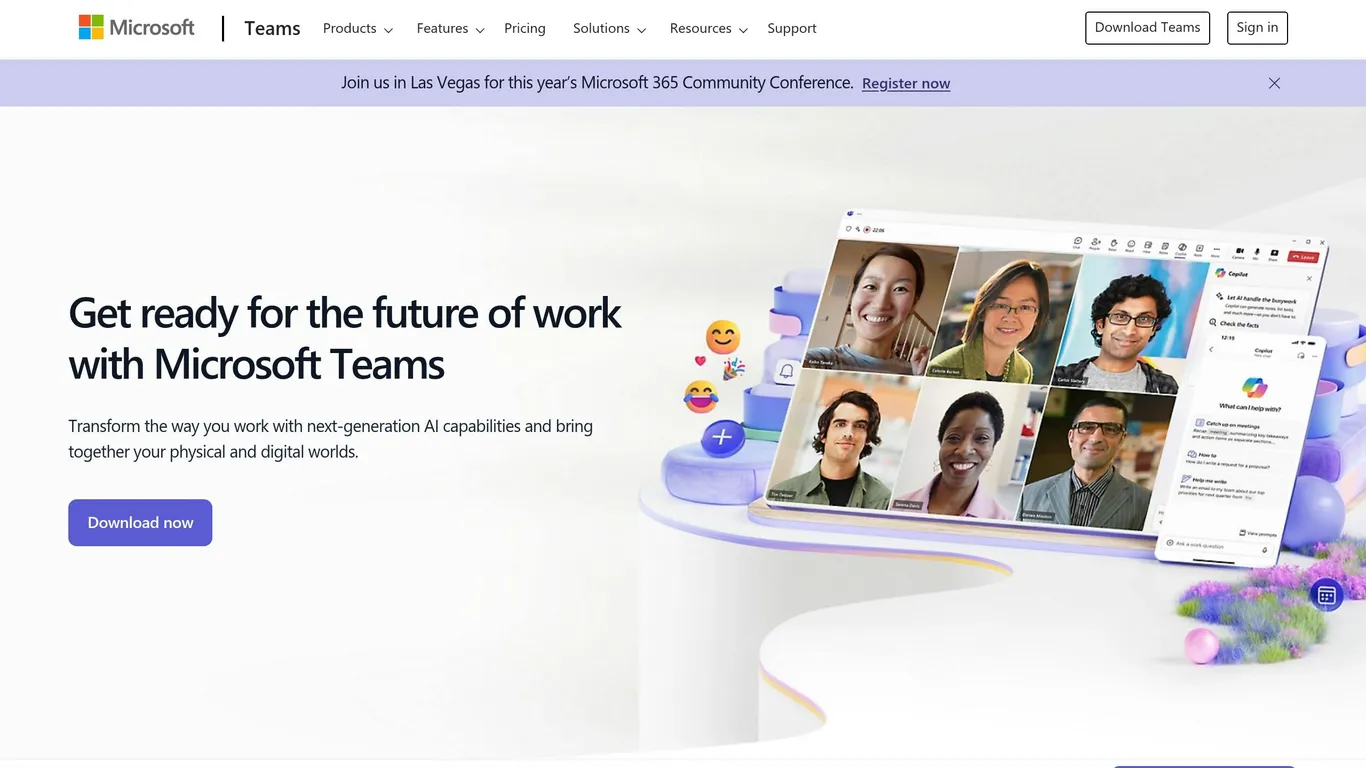
Microsoft Teams has introduced AI-driven tools that reshape how teams work together. These updates tackle common workplace challenges, such as improving meeting productivity and streamlining communication.
Teams Premium’s Intelligent Recap simplifies meetings by automatically summarizing discussions, highlighting key points, and suggesting action items. It organizes meeting content by:
- Speaker contributions
- Topic discussions
“Microsoft Teams Intelligent Recap is a game-changer, especially for busy organizational leaders. Whether you need to follow up on tasks, share notes, or catch up on a meeting you missed, Intelligent Recap has you covered.”
– Claire Sisson, Principal Group Product Manager, Microsoft Digital
Microsoft IntelliFrame , powered by Cloud AI and speaker recognition, enhances transcript accuracy and provides deeper insights during meetings in Teams Rooms.
| Feature | Benefit |
|---|---|
| Live Transcription | Captures spoken content in real time, identifying speakers |
| Voice Isolation | Ensures clear audio even in noisy settings |
| Translated Transcription | Offers live translations of meeting content (Premium feature) |
These tools go beyond meetings, improving everyday communication as well.
AI Chat Assistance
Teams’ AI chat features make messaging faster and more efficient with tools for drafting and editing messages intelligently. After 11 weeks of use, many Copilot users report increased productivity and fewer required meetings.
“This is one of the most impactful features I have seen introduced with hybrid work. This functionality improves my productivity significantly and I have started recording more meetings because of it.”
– Tyler Russell, Senior Engineering Architect, Azure Databases SQL Customer Success Engineering team
| AI Feature | Function |
|---|---|
| Message Suggestions | Provides context-aware response options |
| Smart Compose | Assists in drafting polished communications |
Additional tips to maximize these tools include:
- Setting up digital voice profiles for accurate transcript attribution
- Enabling IntelliFrame in Teams Rooms to enhance remote participation
- Using Intelligent Recap to quickly catch up on missed meetings
These AI-powered features reinforce Teams’ ability to boost efficiency, making it an essential platform for hybrid work environments.
Power Automate extends the capabilities of Microsoft Teams by automating repetitive tasks across various business processes. With over 900 connectors, it simplifies workflows and saves time across industries.
Real-World Automation Examples
Power Automate is widely used to streamline repetitive tasks. For instance, US Acute Care Solutions automated 20 million medical records, saving more than 100,000 hours. Similarly, Komatsu Australia reduced invoice processing time, saving 300 hours annually.
| Industry | Automation Use Case | Benefits |
|---|---|---|
| Healthcare | Patient scheduling, lab updates | Better patient care and reduced admin work |
| Finance | Invoice processing, expense tracking | Faster payment cycles and smoother operations |
| HR | Onboarding, document management | Less manual work and improved employee experience |
| Education | Class scheduling, attendance | More teaching time and stronger student support |
Power Automate and Microsoft Apps
Power Automate integrates seamlessly with Microsoft 365 apps, making it easier for users to create and manage workflows. Its drag-and-drop interface is simple yet powerful, even for non-technical users.
Here are some standout integration features:
- Email Automation
- Teams Integration
- Post automated notifications based on specific triggers
- SharePoint and OneDrive
- Organize documents automatically
- Trigger workflows when files are updated
- Simplify file sharing and collaboration
- Keep metadata updated across platforms
Pricing Details
Power Automate offers flexible pricing plans to suit different needs:
| Pricing Tier | Cost | Best For |
|---|---|---|
| Per User Plan | $15/user/month | Individuals and small teams |
| Per Flow Plan | $500/month (5 flows) | Large organizations |
| Per User with RPA | $40/user/month | Businesses needing desktop automation |
To get the best results, focus on features like concurrent processing, error handling, filter queries, clear workflow naming, and regular connection checks.
Microsoft Viva Insights: Work Pattern Analysis
Microsoft Viva Insights uses AI-powered analytics to enhance workplace productivity while maintaining privacy through techniques like de-identification, aggregation, and differential privacy.
Productivity Data Analysis
Viva Insights examines data from Microsoft 365 apps – such as emails and meetings – to offer actionable insights. It also integrates information from external platforms like Zoom, Slack, Workday, and SAP SuccessFactors, providing a more complete picture.
Here’s how it influences organizational performance:
| Metric | Business Impact |
|---|---|
| Employee Engagement | Companies focusing on employee experience see 25% higher profitability |
| Cost of Disengagement | Disengaged employees cost 18% of their annual salary |
| Retention Impact | Organizations investing in employee development achieve 94% better retention rates |
| Burnout Risk | 76% of U.S. employees report experiencing workplace burnout |
“Microsoft Viva Insights gives individuals, managers, and leaders personalized and actionable insights that help everyone in an organization thrive”.
While these insights improve productivity, Viva Insights also emphasizes maintaining a healthy work-life balance, as discussed below.
Work-Life Balance Metrics
In addition to driving productivity, Viva Insights supports employee wellbeing by tracking and improving work-life balance:
- Focus Time Management : Studies show workers need about 23 minutes to regain focus after interruptions. Viva Insights helps by scheduling dedicated focus sessions and activating a “Do Not Disturb” mode during critical tasks.
- Meeting Optimization : Smart scheduling features include automatic 5-minute breaks between meetings and regular break scheduling to reduce fatigue.
- Stress Management Tools : Internal use of the platform has shown improvements in stress management by suggesting mindfulness exercises, virtual commutes to set boundaries, and after-hours quiet time settings to prevent burnout.
“Having the preparation details for an upcoming meeting delivered directly to me not only improves my productivity, but it makes me more confident. It directly increased my wellbeing”.
Pricing Plans
Microsoft Viva Insights offers flexible pricing options to cater to various organizational needs:
| Plan | Cost (Annual) | Features |
|---|---|---|
| Basic Insights | $4.00/user/month | Personal insights and basic analytics |
| Workplace Analytics | $6.00/user/month | Advanced analytics and employee feedback |
| Viva Suite | $12.00/user/month | Full access to the entire platform |
“So much of the core focus of Viva Insights is influenced by HR, by organization culture. Our focus is on wellbeing and productivity, but that can look different from organization to organization”.
Change Management Steps
Introducing Microsoft’s AI-driven tools into workflows requires careful planning and open communication. While 76% of employees feel a strong need to learn AI, only 33% use it daily. To close this gap, businesses need a structured approach.
| Implementation Phase | Key Actions | Expected Outcomes |
|---|---|---|
| Assessment | Review data security and system infrastructure | Clear understanding of current readiness |
| Planning | Set measurable goals and key performance indicators (KPIs) | A detailed, actionable roadmap for implementation |
| Team Formation | Assemble a cross-functional team | Expertise distributed across departments |
| Rollout | Launch tools gradually, incorporating feedback | Smooth adoption with room for ongoing adjustments |
Once the roadmap is in place, the next priority is preparing employees with focused training.
Staff Training Methods
Well-designed training programs can boost productivity by up to 37%. To make training impactful, organizations can focus on:
- Customized Learning Paths
Build training tailored to specific roles and departmental needs. For example, Microsoft Learn for Organizations provides role-specific AI training modules. - Practical Application
Use hands-on workshops and real-world examples to help employees see how AI tools can directly benefit their day-to-day tasks.
“AI requires deliberate enablement to unlock its full potential.”
Solving Common Issues
After training, it’s essential to address potential challenges to ensure smooth AI integration.
| Challenge | Solution | Impact |
|---|---|---|
| Data Security | Perform regular encryption audits | Better protection for sensitive data |
| Output Accuracy | Validate data quality and maintain human oversight | More reliable AI-generated results |
| Cost Management | Track subscriptions and optimize usage | Save an average of 15% annually |
| Technical Requirements | Assess infrastructure and plan upgrades | Easier and more effective implementation |
Generative AI offers a $3.70 return for every $1 invested, with most projects delivering results within 13 months. To make the most of these tools, businesses should focus on governance, establish feedback channels, conduct compliance reviews, and regularly monitor usage to fine-tune resources.
What’s Next for Microsoft AI
Microsoft is set to expand its AI capabilities, introducing features aimed at improving workplace efficiency and productivity.
New Features Coming Soon
Microsoft plans to add several AI-driven tools to its productivity suite. Starting in June 2025, Teams users will gain access to intelligent call recap features , which provide AI-powered summaries and insights for both VoIP and traditional phone calls via Teams Premium and Copilot. Another addition, automatic camera switching with IntelliFrame , will use AI to select the best view of meeting participants, ensuring remote attendees have a clear perspective.
Voice quality enhancements are also in development. A voice isolation feature will use advanced noise suppression to focus on the speaker’s voice while reducing background sounds. Additionally, Super Resolution technology is being extended to more devices, including Intel and AMD Copilot+ PCs. Early testing shows that 68% of users rate the improved video quality as superior.
For Microsoft 365 Copilot users, several updates are on the way:
| Feature | Release Timeline | Key Benefits |
|---|---|---|
| Copilot Prompt Gallery | February 2025 | Access a library of curated prompts across Microsoft 365 apps |
| Enhanced Outlook Writing | February 2025 | Features auto-rewrites and a redesigned interface |
| Word Text Selection | Available now | Offers context-aware responses for selected content |
| Teams Meeting Insights | June 2025 | Delivers detailed meeting analysis, including chat summaries |
These updates pave the way for businesses to prepare for the next wave of AI tools.
To take full advantage of these advancements, companies need to plan ahead. With AI spending expected to surpass $300 billion by 2026, early adopters have already seen a 150% boost in work output through automation.
Charles Lamanna, Microsoft’s Corporate Vice President of Business and Industry Copilot, highlighted the potential of AI in the workplace:
“Every employee will have a Copilot, their personalised AI agent and then they will use that Copilot to interface and interact with the sea of AI agents that will be out there.”
To prepare, businesses should focus on these key areas:
| Preparation Area | Action Items | Expected Impact |
|---|---|---|
| Skills Assessment | Identify current AI expertise and training needs | 92% of AI-knowledgeable employees report better workload management |
| Infrastructure | Ensure hardware is compatible with upcoming features | Smooth integration of new capabilities |
| Data Strategy | Create systems for managing AI-related data | Supports the 66% of cloud apps projected to use AI by 2026 |
| Governance | Develop policies for AI oversight | Promotes responsible implementation |
While automation can drive efficiency, it’s essential to maintain human oversight. Businesses should align AI use cases with their goals and establish strong governance frameworks. Microsoft’s advancements, such as Copilot Studio – a platform for creating custom AI assistants – underscore the need for careful preparation.
Conclusion: Making the Most of Microsoft AI
Microsoft’s AI tools are reshaping workplace productivity. A staggering 75% of knowledge workers now rely on AI for daily tasks. For businesses, the payoff is clear – organizations using these tools report an average return of $3.70 for every $1 invested.
Real-world examples highlight how impactful these tools can be. Cineplex Inc. used Power Automate to save over 2,600 hours of manual work in just four months, boosting process efficiency by 92%. Meanwhile, H&R Block leveraged Azure AI Foundry and Azure OpenAI Service to develop AI Tax Assist, a platform that combines decades of tax expertise with cutting-edge AI technology.
Productivity Gains at a Glance
| Impact Area | Performance Metric |
|---|---|
| Task Completion | 29% less time spent on searching, writing, and summarizing |
| Email Management | 64% reduction in time spent handling emails |
| Content Creation | 85% boost in first-draft efficiency |
| Overall Productivity | Over 70% of users report being more productive |
These numbers clearly show how AI is redefining how work gets done.
“Microsoft 365 Copilot isn’t about creating new capabilities – it’s about making existing tasks more efficient.”
The future of work hinges on AI skills. Sixty-six percent of leaders say they wouldn’t hire someone without AI expertise, while 90% of AI users report saving time, and 85% say AI helps them focus on their most critical tasks.
To fully leverage Microsoft AI tools, organizations need strong executive support, robust training programs, and clear governance. As Karim R. Lakhani from Harvard puts it:
“We’re at the forefront of integrating AI to not just work faster, but to work smarter. It’s our responsibility as organizational leaders to ensure that this technology elevates our teams’ creativity and aligns with our ethical values.”
With over 85% of Fortune 500 companies already using Microsoft AI solutions, these tools are no longer optional – they’re essential for staying competitive. Responsible adoption paired with ongoing training can help businesses thrive in an AI-driven world.