20 Best Microsoft Teams Apps 2024
Looking to supercharge your Microsoft Teams experience? Here’s a quick rundown of the top 20 apps for 2024:
- OneNote – Digital notebook
- ClickUp – Task management
- AttendanceBot – Time tracking
- SignEasy – Document signing
- Polly – Quick surveys
- Zoom for Teams – Video meetings
- SoapBox – Meeting organization
- Karma – Employee recognition
- Trello – Project boards
- MeisterTask – Task management
- Hive – Project tool
- ScrumGenius – Automated standups
- M.io – Cross-platform messaging
- GitHub – Code management
- Adobe Creative Cloud – Design collaboration
- Workbot – Business app control
- Power BI – Data visualization
- Typeform – Conversational surveys
- Zenduty – Incident management
- Acuity Scheduling – Appointment booking
Quick Comparison:
| App | Main Use | Free Version? | Starting Price |
|---|---|---|---|
| OneNote | Note-taking | Yes | Free |
| ClickUp | Task management | Yes | $7/user/month |
| AttendanceBot | Time tracking | No | $4/month |
| Polly | Surveys | Yes | $1/user/month |
| Trello | Project boards | Yes | $5/user/month |
These apps can boost your team’s productivity, streamline workflows, and keep everything in one place. Choose based on your specific needs and budget.
How We Chose These Apps
Picking the best Microsoft Teams apps for 2024 was tough. We sifted through over 2,000 integrations to find the real game-changers. Here’s our process:
1. Identified Key Needs
We zeroed in on what Teams users really need:
- Better communication
- Smoother project management
- Easier data handling
- Stronger connections with other tools
2. Checked Compatibility
We made sure each app plays nice with Teams. We looked at:
- Integration depth
- Performance impact
- Setup simplicity
3. Focused on User Experience
We picked apps that just make sense in Teams. Think:
- Clean, Teams-like interface
- No app-hopping for basic tasks
- Features that pop up right when you need them
4. Considered Security
With 270 million daily active Teams users, security is a big deal. Our picks:
- Use strong security measures
- Protect user data
- Follow industry standards
5. Looked at Reviews and Usage
We listened to real users. For example, check out this feedback on the Workday app:
“Workday for Microsoft Teams saves employees time. They can access their info right in Teams without constantly switching apps.” – Indira Vidyaprakash, Senior Director of Workday Everywhere
6. Tested Thoroughly
We put each app through its paces, checking:
- Performance
- Time-saving potential
- Value added to Teams
7. Considered Cost and Scalability
We included apps at different price points, from free to paid. All can grow with your team.
Here’s a quick pricing snapshot:
| App | Starting Price | Free Option |
|---|---|---|
| OfficeRnD Hybrid | $149/month | Yes (up to 20 users) |
| Decisions | $9.90/month | No (free trial) |
| AttendanceBot | $4/month | No (free trial) |
| Trello | $5/user/month | Yes |
| Zapier | $19.99/month | Yes |
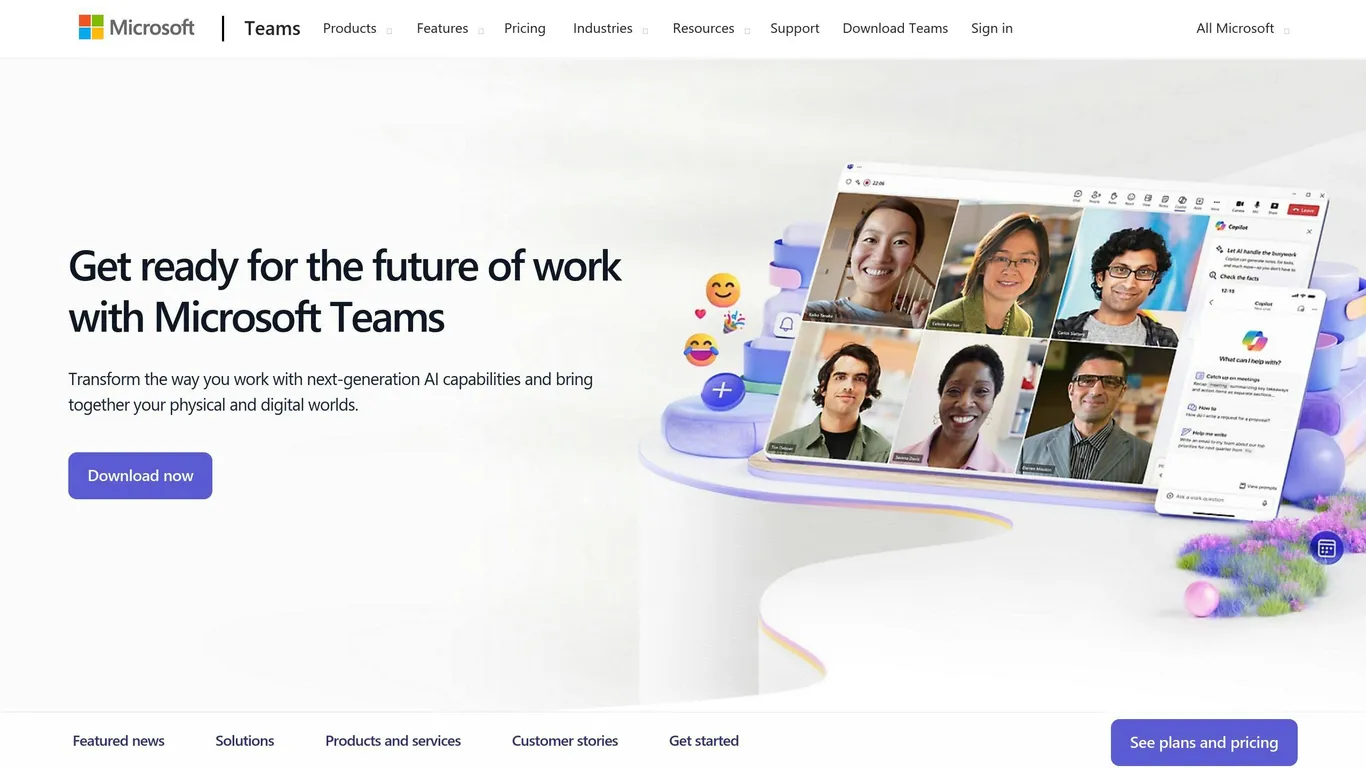
Microsoft Teams packs a punch with its app variety. Here’s what you need to know:
Work Apps
These apps supercharge your productivity. Take OneNote. It’s your digital notebook right inside Teams. Jot down ideas during meetings or brainstorming sessions without switching tabs.
Communication Apps
These make teamwork a breeze. Polly stands out here. Create quick surveys in channels or chats, and watch the votes roll in real-time. Perfect for fast team decisions or grabbing feedback on the fly.
Project Management Apps
Keep your projects on track with these. Trello is a fan favorite. Manage your boards without leaving Teams. Plus, Trello updates can pop up in your channels, so everyone’s in the know.
Integration Apps
These apps bridge Teams with your other go-to tools. M.io is a prime example. It connects Teams to other messaging apps, making cross-platform chats a reality.
Data and Reporting Apps
For the number crunchers, these are gold. Power BI fits right into Teams. Share and discuss data visuals and reports in real-time, all in one place.
Here’s a quick rundown of some top apps:
| App | Type | Killer Feature | Free Version? |
|---|---|---|---|
| OneNote | Work | Digital notes | Yes |
| Polly | Communication | In-chat polls | Yes |
| Trello | Project Management | Boards in Teams | Yes |
| M.io | Integration | Cross-app messaging | No |
| Power BI | Data & Reports | Share data visuals | Yes |
20 Best Microsoft Teams Apps for 2024
Let’s look at the top Teams apps to boost your workflow this year:
Work Smarter
- OneNote : Your in-Teams notebook. Take meeting notes without tab-switching.
- ClickUp : Find and link tasks in chats. G2: 4.7/5 (9,100+ reviews).
| Plan | Price/user/month |
|---|---|
| Free | $0 |
| Unlimited | $7 |
| Business | $12 |
| Business Plus | $19 |
| Enterprise | Contact sales |
- AttendanceBot : Track hours, time off, and sick days. View attendance data easily.
| Plan | Price/month |
|---|---|
| Standard | $4 |
| Premium | $9 |
- SignEasy : Sign docs in Teams. No more paperwork delays.
| Plan | Price/month |
|---|---|
| Business Plus | $50 |
| Team | $20 |
Collaborate Better
- Polly : Quick surveys in channels or chats. See votes instantly.
| Plan | Price/user/month |
|---|---|
| Free | $0 |
| Team | $1 |
- Zoom for Teams : Manage Zoom meetings without leaving Teams. G2: 4.5/5 (53,700+ reviews).
| Plan | Price/user/month |
|---|---|
| Basic | $0 |
| Pro | $15.99 |
| Business | $19.99 |
| Business Plus | $25 |
| Enterprise | Contact sales |
- SoapBox : Organize meetings with agendas and topic tracking.
| Plan | Price/month |
|---|---|
| Plus | $19 |
| Pro | $79 |
| Advanced | $319 |
- Karma : Give “kudos” and track performance on a leaderboard.
| Plan | Price/user/month |
|---|---|
| Standard | $3 |
Project Management
- Trello : Manage boards and tasks in Teams.
| Plan | Price/user/month |
|---|---|
| Free | $0 |
| Standard | $5 |
| Premium | $10 |
| Enterprise | $17.50 |
- MeisterTask : Task management with mind maps and custom dashboards.
- Hive : Project tool with various views and analytics.
- ScrumGenius : Automate standups. Collect and summarize updates.
| Plan | Starting price |
|---|---|
| Basic | $2.50/month |
- M.io : Link Teams to other chat apps.
- GitHub : Manage code projects in Teams.
| Plan | Price/user/month |
|---|---|
| Free | $0 |
| Team | $3.67 |
| Enterprise | $19.25 |
- Adobe Creative Cloud : Share and discuss graphics easily.
| Plan | Price/month |
|---|---|
| Single app | $39.09 |
| All apps | $91.99 |
- Workbot : Control business apps from Teams.
Data and Reporting
- Power BI : Share and discuss data visuals in real-time.
- Typeform : Collect feedback conversationally. Integrate responses into Teams.
| Plan | Price/month |
|---|---|
| Basic | $29 |
| Plus | $59 |
| Business | $99 |
- Zenduty : Handle alerts and incidents. Works with 100+ tools.
- Acuity Scheduling : Book appointments (needs Zapier). G2: 4.7/5 (390+ reviews).
| Plan | Price/month |
|---|---|
| Emerging | $16 |
| Growing | $27 |
| Powerhouse | $49 |
These apps can make Teams your work hub, boosting productivity in 2024.
Comparing Top Apps
Let’s look at some of the best Microsoft Teams apps:
| App Name | Main Features | Pros | Cons | Best Uses |
|---|---|---|---|---|
| OneNote | In-Teams notebook, meeting notes | Easy integration, simple note-taking | Basic formatting | Team work, meeting recaps |
| ClickUp | Task management, chat integration | Customizable, G2 rating: 4.7/5 | Takes time to learn | Project tracking |
| AttendanceBot | Time tracking, leave management | Simple attendance tracking | Some find it invasive | HR, remote team management |
| Polly | Quick surveys, instant voting | Fast feedback, user-friendly | Limited advanced features | Team decisions, quick polls |
| Zoom | Video meetings, breakout rooms | Popular, G2 rating: 4.5/5 | Needs Zoom account | External meetings, webinars |
| Trello | Visual task boards, lists | Easy to use | Can get messy with big projects | Project management |
| GitHub | Code hosting, version control | Must-have for devs, G2 rating: 4.7/5 | Tough for non-techies | Software development |
| Adobe Creative Cloud | Asset sharing, design feedback | Speeds up creative work | Needs Adobe subscription | Design team collaboration |
| Power BI | Data viz, real-time analytics | Strong insights | Not for casual users | Business intelligence |
| Typeform | Conversational surveys | Engaging experience | Limited free plan | Customer feedback, leads |
These apps can boost your team’s productivity in Teams. Pick based on what you need.
For dev teams, GitHub’s a game-changer:
“GitHub and Teams integration lets users track GitHub projects in Microsoft Teams, where ideas are saved, implementation is planned, and team collaboration improves.”
For visual teams, think Mural or Adobe Creative Cloud:
“Adobe Creative Cloud for Microsoft Teams helps designers work together on assets and notifications.”
Don’t forget to check pricing. ClickUp has a free plan, but its Business plan is $12 per user monthly. Trello ranges from free to $17.50 per user monthly for Enterprise.
Picking the Right App for Your Team
Want to choose the best Microsoft Teams apps for your team? Here’s how:
- Know your goals : What do you want to do? Manage projects better? Improve communication? Analyze data? Clear goals help you pick the right apps.
- Check integration : Look for apps that work well with Teams. SharePoint, for example, lets you work on files together right in Teams channels.
- Keep it simple : Choose easy-to-use apps. People will use them more and need less training. OneNote is a good example – it’s great for taking notes and recapping meetings.
- Think about cost : Compare what you get with what you pay. Some apps are free, others cost money:
| App | Free Plan | Paid Plan Starting Price |
|---|---|---|
| Trello | Yes | $5 per user/month |
| Evernote | No | $14.17 per month |
| Smartsheet | Yes | $7 per user/month |
| Zapier | Yes | $69/month for teams |
- Try before you buy : Many apps offer free trials. Use them to see if the app fits your needs.
- Read reviews : See what other users say, especially those in your industry. It can tell you a lot about how well an app works.
- Think big : Choose apps that can grow with your team. The Virto Calendar Overlay app, for example, starts free and goes up to $0.99 per user/month for bigger teams.
- Follow the rules : Make sure the apps you pick follow your company’s security and data rules. Team owners can control app permissions in the Teams admin center.
Wrap-up
Microsoft Teams is a big deal in workplace collaboration. Over 330,000 companies use it worldwide. It’s not just for chat – it’s a full-on teamwork hub.
Here’s what you need to know:
1. Streamlined workflows
Teams apps cut down on busy work. Take Workday for Microsoft Teams – it lets you handle HR stuff without switching apps.
2. Better teamwork
Share and edit docs in real-time. No more email ping-pong. One global consulting firm saw projects finish 20% faster because of this.
3. Make it yours
There are 600+ apps to choose from. As Mykhailo Sydorchuk from Microsoft Digital says:
“There’s an endless amount of opportunity for organizations that take full advantage of the apps catalog available in Teams.”
4. Budget-friendly
Many apps have free plans or trials. Here’s a quick look:
| App | Free Plan | Paid Plan Starting Price |
|---|---|---|
| Trello | Yes | $5 per user/month |
| Smartsheet | Yes | $7 per user/month |
| Zapier | Yes | $69/month for teams |
5. Room to grow
Pick apps that can keep up as your team expands. The Virto Calendar Overlay app starts free and goes up to $0.99 per user/month for bigger teams.
The right apps in Microsoft Teams can supercharge your workplace. Just ask Holly Bilton from Hilti:
“It’s great that you can perform Workday tasks directly in Teams without having to leave the working environment where people already are all day.”
Common Questions
Here’s what you need to know about Microsoft Teams apps:
Finding Apps
The Teams app directory is your go-to spot. It’s packed with 600+ options. Here’s how to get there:
- Click “Apps” (bottom left)
- Browse or search
- Hit “Add” on apps you want
App Types
Teams apps cover lots of ground:
| Type | Examples | What They Do |
|---|---|---|
| Project Management | Trello, Asana | Track tasks, deadlines |
| Communication | Polly, Karma | Run surveys, recognize employees |
| Productivity | Adobe Creative Cloud | Share files, collaborate |
| Development | GitHub | Manage code, track issues |
Cost
Many apps have free options:
- Trello: Free plan
- Polly: Free for individuals
- GitHub: Free forever plan
Paid plans? Usually $5-15 per user/month for extra features.
Adding Apps to Chats/Channels
- Go to chat/channel
- Click ”+” at the top
- Pick “Add a tab”
- Choose your app and set it up
Mobile Use
Most Teams apps work on mobile. Just grab the Teams mobile app.
Security
Microsoft checks all directory apps. But stay smart:
- Look at app permissions
- Stick to trusted apps
- Keep everything updated
Can’t Find an App?
Try these:
- Check Microsoft’s full app directory online
- Ask IT about custom apps
- Use Zapier to link Teams with 3000+ tools
FAQs
What integrates with Microsoft Teams?
Microsoft Teams plays nice with tons of apps. Here’s a quick look at some popular ones:
These apps let you do more without leaving Teams. Brainstorm with Mural during a meeting or manage tasks with Trello right in your channel.
Teams has over 600 apps in its store. You can customize your workspace for education, HR, productivity, and more.
Adding an app is easy:
- Click “Apps” (bottom left)
- Find your app
- Hit “Add”
With so many options, you can make Teams work exactly how you need it to.