Bulk Actions Now Cover Channels and SharePoint Sites
Governing a Microsoft 365 estate well means acting on all of it, not just the teams that are easy to see. But channels and standalone SharePoint sites have always been the exception: managing them one at a time doesn’t scale, so audits and cleanups either skip them or eat hours going object by object. Bulk now treats channels and SharePoint sites as first-class objects alongside teams — archive, clean up, or re-tag hundreds at once, with a plain-language confirmation before anything runs.
What’s new
- Channels are a bulk target. Select channels across one or many teams and run: Archive, Unarchive, Delete, Add/Remove members, Attach to Template, Assign metadata, Unassign metadata, Export, and the Beta Delete File Versions cleanup.
- Standalone SharePoint sites are a bulk target. Project sites, intranets, department hubs, and other sites that live outside a Teams workspace now show up in Bulk alongside teams, with Send notification, Archive, Delete, Restore, Attach governance template, and File version cleanup.
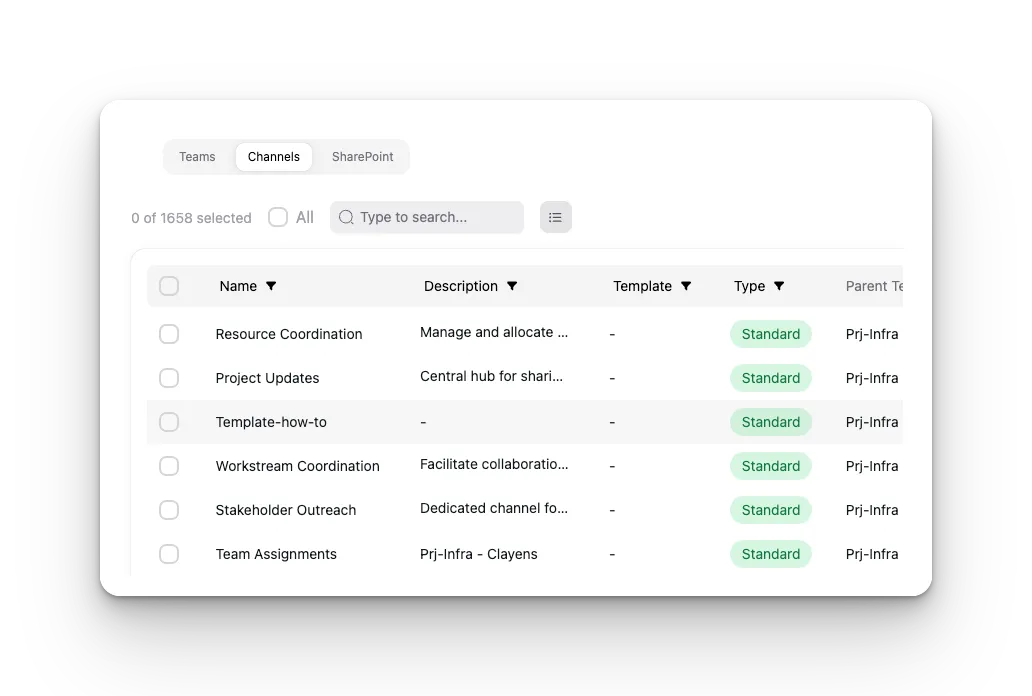
- Members and owners are visible in the row. Both the Teams and Channels views now show who’s on each object without opening it, with filters on membership.
- File version cleanup reaches channel sites. The bulk cleanup job now discovers and cleans the SharePoint sites behind a team’s private and shared channels, not just the team’s primary site.
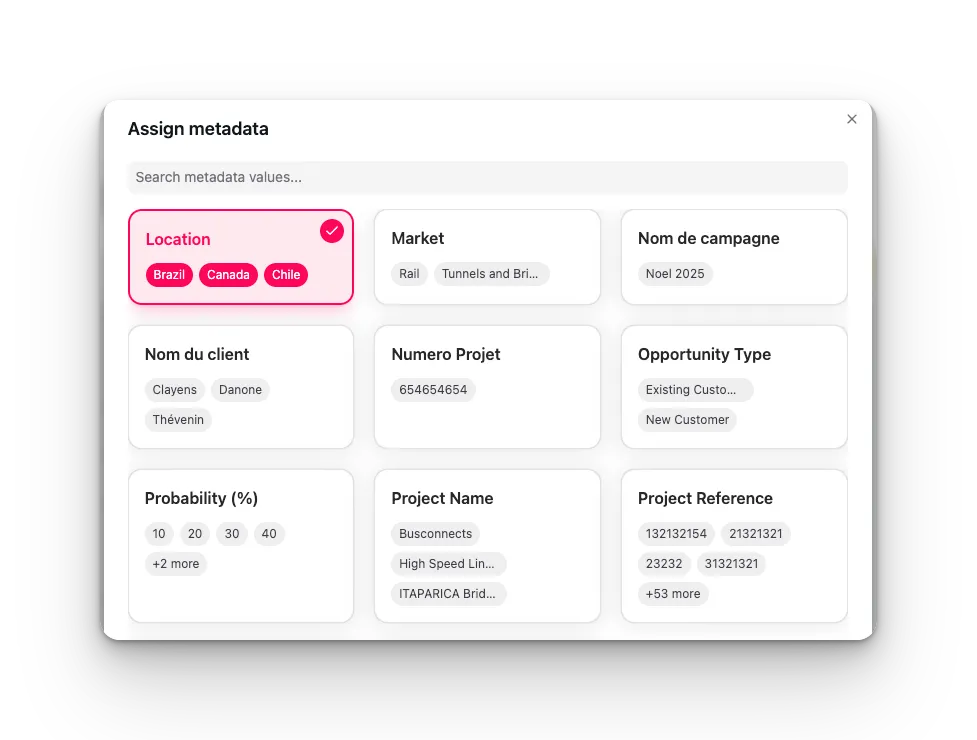
- Metadata flow redesigned. Assign, Unassign, and a new Change value action, all with confirmation screens written in business language instead of raw schema field keys. Setting up categories and values has moved to the admin area, so operational bulk runs stay focused on running the action.
How it works
-
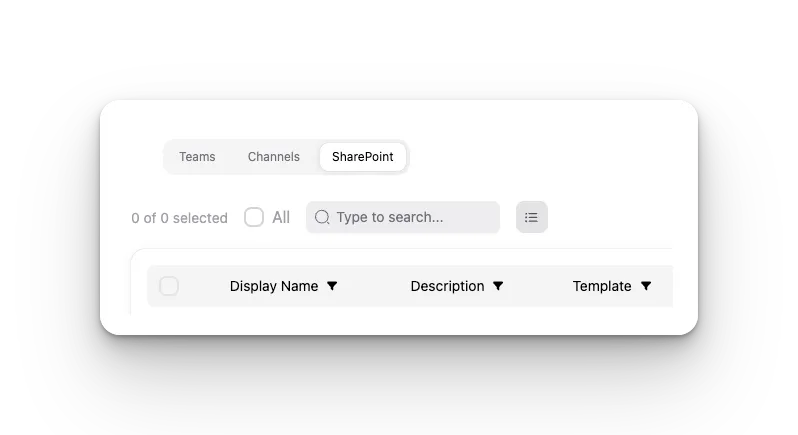
Open Bulk and switch to the Channels or SharePoint tab, depending on what you’re acting on.
-
Search and filter — by name, description, template, type, parent team, owners, or members for channels; by name, owner, last activity, or template for SharePoint sites.
-
Select the objects you want to act on, or use All to grab every result in the current filter.
-
Pick an action from the Actions menu — for metadata, choose Assign, Unassign, or Change value.
-
Review the confirmation screen. It states the action in plain language and, for metadata changes, shows current values per object for context.
-
Click Run.
The per-channel Delete File Versions action is currently in Beta.
Why it matters
Governance at scale breaks down at the gaps between the objects your bulk tools cover. If channels and standalone SharePoint sites aren’t first-class citizens in Bulk, every audit, cleanup, or offboarding pass has a manual exception built into it — the parts of your Microsoft 365 estate that don’t live neatly inside a team get handled one by one, or not at all. Bringing channels and sites into the same bulk surface as teams, with confirmations you can actually read before you commit, means the governance policy you enforce at the team level now reaches the rest of the estate too.
Related
See how bulk actions on channels and sites fit into a broader governance strategy on Governed Microsoft 365. Book a demo to see Bulk run against your own tenant.