SharePoint Site Templates Are Now Generally Available
nBold exists to make every recurring piece of work start from a governed, ready-to-use workspace instead of a blank one — but that promise has to hold everywhere collaboration actually happens, not just inside Teams. A lot of it lives in standalone SharePoint sites — project sites, knowledge bases, portals — each historically built and governed by hand, one site at a time, with no shared template or policy behind it. SharePoint Site Templates, in beta since January, is now generally available: the same naming, approval, audience, and lifecycle rules that standardize Teams templates now apply directly to SharePoint-only sites, no Teams workspace required.
What’s new
SharePoint Site Templates let you create templates based purely on a SharePoint site — no Microsoft Teams workspace attached. The GA release adds:
- Site type selection — choose Communication site or Team site as the provisioning target, matching SharePoint’s native options.
- Site assets cloning — the source site’s assets library (logos, images, scripts, brand files) now copies automatically to every new site.
- Channel-associated site support — broader provisioning coverage for the SharePoint sites behind private and shared channels, with additional views surfaced in nBold.
- Better design fidelity — site design (theme, layout, header configuration) now applies reliably, matching the source.
- Resilient long-running provisioning — copy operations no longer time out at 5 minutes. Large sites with big libraries and rich metadata schemas provision in the background, with live progress you can monitor to completion.
How it works
Creating a SharePoint-only template follows the same flow as a Teams template, with one branch point.
When you start a new template, choose the template type: Microsoft Teams or SharePoint.
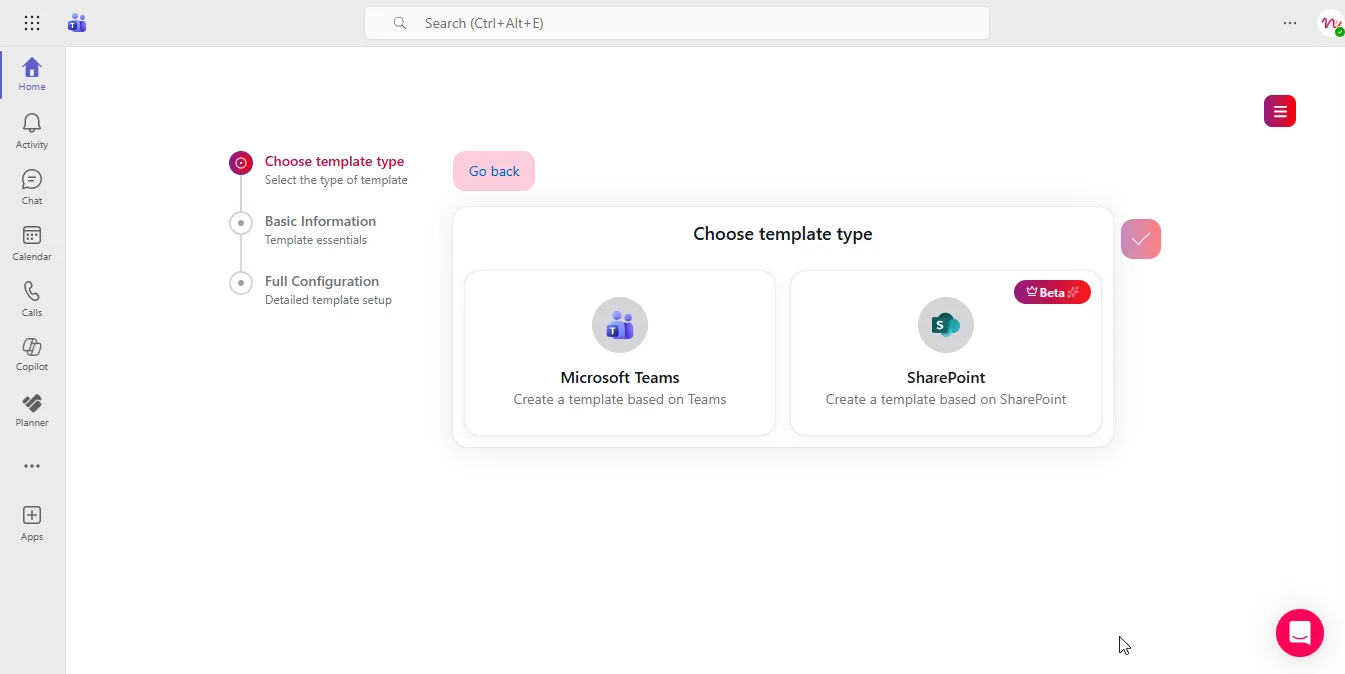
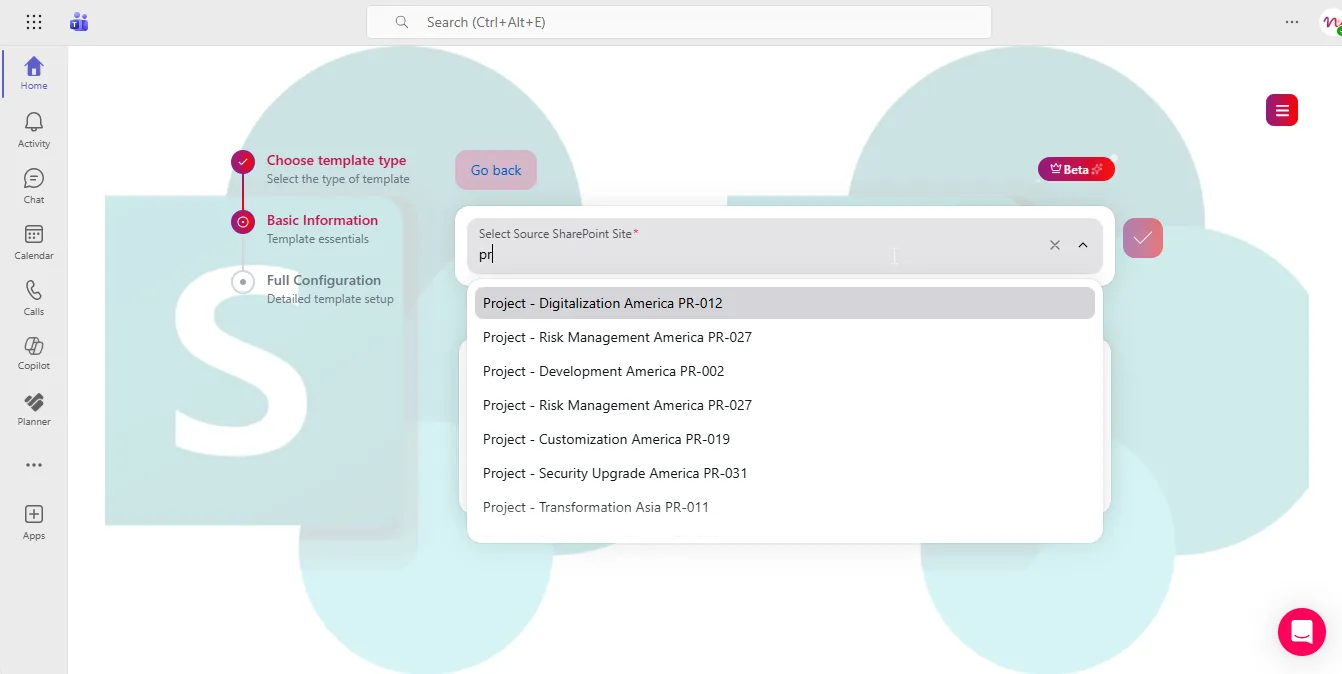
Selecting SharePoint takes you to pick a source site — any existing SharePoint site you have access to, used as the blueprint for structure, libraries, lists, pages, navigation, assets, design, and metadata.
From there, you name the template, write a description, and set its default language and site type (Communication or Team). Then you configure governance — the same policy set as Teams templates, applied to a SharePoint-only site:
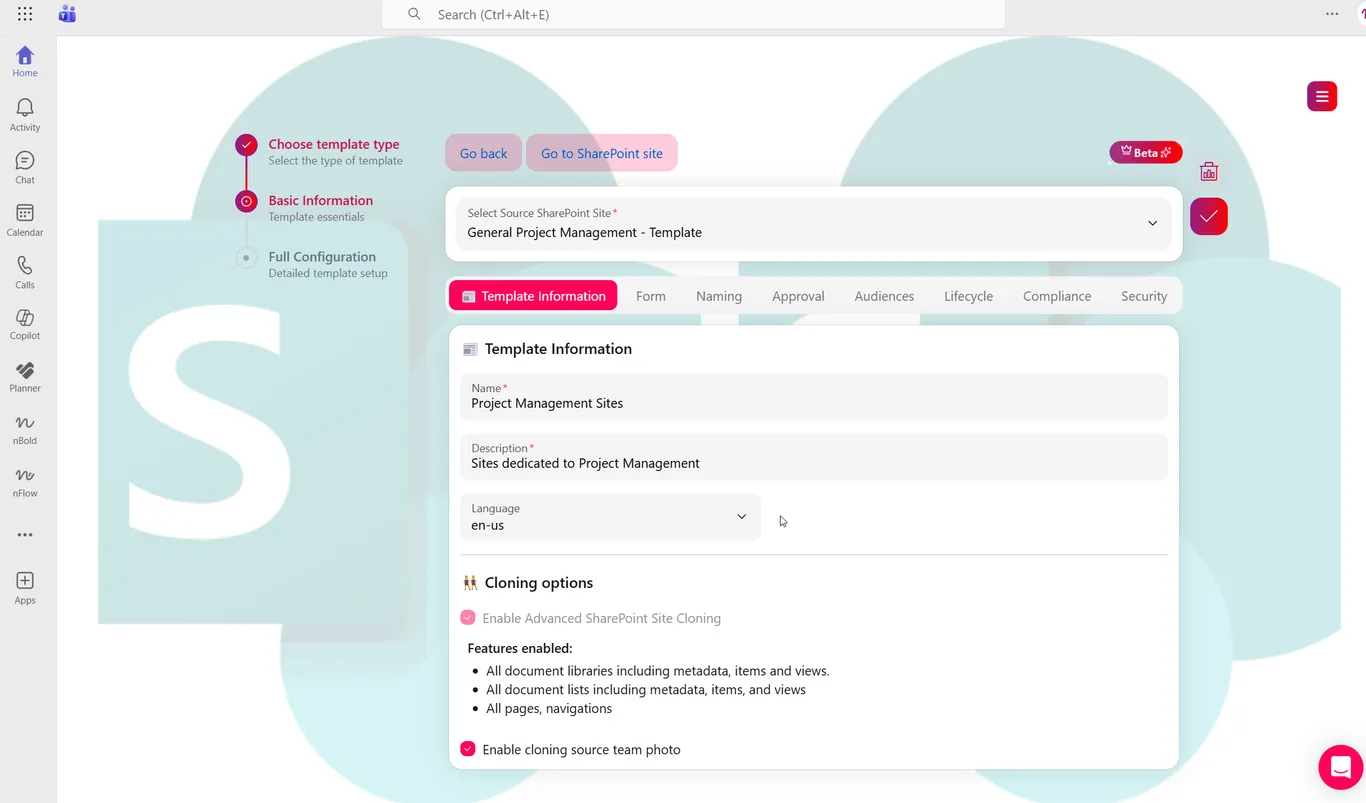
That means naming convention, approval workflows, audience targeting, lifecycle policy, compliance and sensitivity labels, storage policy, and security and access policies — each working exactly as it does for Teams templates, now extended to SharePoint-only sites.
SharePoint Site Templates don’t create a Microsoft Teams workspace, so Teams-specific features like channels, tabs, and Planner don’t apply here. If you need both provisioned together from one template, nBold also supports combined Teams and SharePoint templates.
Why it matters
Most governance programs stop at the Teams boundary and leave SharePoint-only sites to sprawl — inconsistent naming, no approval gate, no lifecycle policy, no one accountable for cleanup. Bringing SharePoint sites into the same template and policy engine as Teams means one governance model for the whole Microsoft 365 estate, not two. You get standardized, auditable sites for project work, knowledge bases, and compliance archives without forcing a Teams workspace on use cases that never needed one.
Related
See how repeatable, governed workspaces — Teams or SharePoint — hold up at scale in Repeatable Work at Scale. Ready to see it on your own tenant? Book a demo.